

Connect your tools
Install Adam for Autodesk Fusion
Install Adam Desktop to add Adam to Fusion, then work from the in-product panel or Adam web app.
Install Adam Desktop to work with your Fusion designs. It includes the Adam add-in for Fusion and installs it for you. You can start a task from inside Fusion or use the Adam web app while Fusion is open.
Install Adam Desktop
Download Adam Desktop
Open adam.new/install on the macOS or Windows computer where Fusion is installed.
Open Adam Desktop
Open Adam Desktop and sign in. It sets up the Fusion add-in; if Fusion was already open, quit and reopen Fusion after setup.
Open Adam in Fusion
Open a design and select Adam from the Fusion toolbar. Sign in to Adam from the panel if prompted.
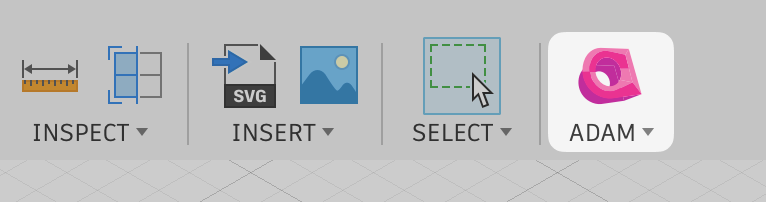
Start a task
Ask Adam about the open design or selected geometry. The same task is also available in the Adam web app.
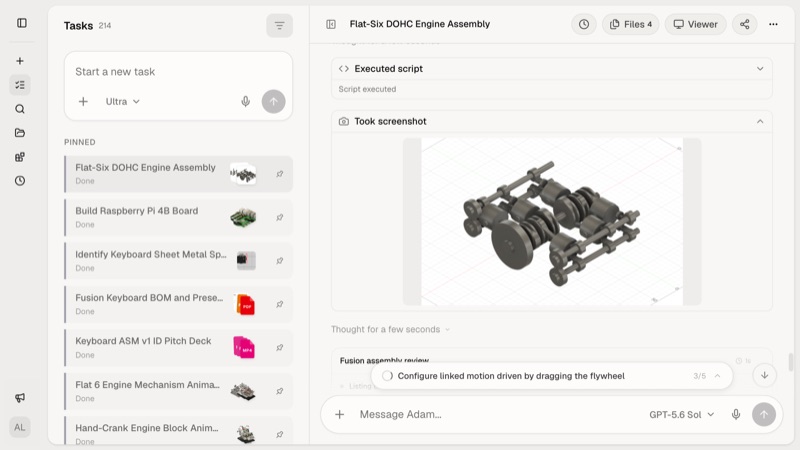
If the Adam button is missing
In Fusion, press Shift+S to open Scripts and Add-Ins. Find AdamFusion under Add-Ins, select it, and choose Run. If it is not listed, in Adam Desktop open Integrations > Manage this computer > Applications, select Install for Fusion if offered, then restart Fusion.
Work with a Fusion design
Keep Fusion open while Adam works with a design. If Adam cannot see Fusion, open the intended design and select Adam from the toolbar.
Adam can use the open design and your current selection. In your message, still describe the geometry, constraints, and changes that matter.
Try an engineering workflow
Use CAD modeling for a parameter change or new part, Manufacturing review for a process-specific review, or Drawing to model for a reconstruction. Name the design and component, describe any active selection, and request the native design alongside exchange files when you need editable history.
Reinstall or update
In Adam Desktop, open Integrations > Manage this computer > Applications and select Install or Update for Fusion if offered. Restart Fusion after the add-in changes. If the add-in is still missing, contact support. If you do not have Adam Desktop yet, download it from adam.new/install.
If the add-in runs but cannot reach Adam, check Adam service status, then sign out and back in from the panel before reinstalling.