
Teams and billing
Model usage costs
Understand how Adam's model families, Fast mode, and a connected Codex plan affect your usage allowance.
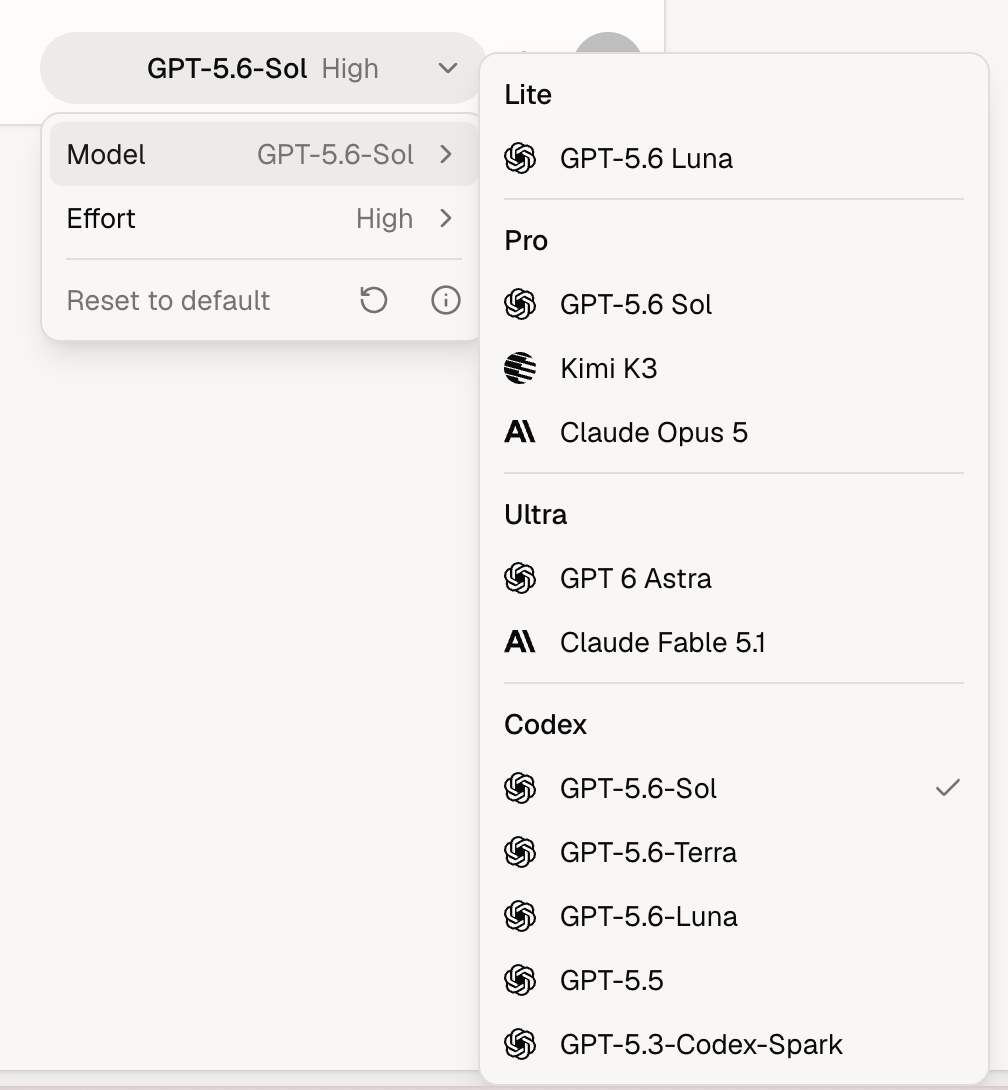
Adam's model picker groups models into Lite, Pro, and Ultra families, with a separate Codex section after you connect Codex. These are model choices, not subscription plans. Your plan determines which choices you can use and how much included usage you receive.
Capability tiers
Lite, Pro, and Ultra are model families that let you choose based on the difficulty of the work. Each can contain several models, with one default used by the preset slider.
Choose a tier based on the work, not usage alone. Premium tiers use more of your allowance, but they are significantly more capable at 3D CAD modeling and complex engineering work. Reserve Lite for supporting tasks such as design reviews, straightforward edits, presentations, and bills of materials. Lite can handle limited 3D modeling, but use a premium tier when the CAD model itself is the main deliverable.
Compare usage costs
The comparison above uses each family's current default model and standard Fast rate. Other models in the same family can use different amounts of your allowance. On Max, Astra's lightning bolt uses Ultrafast at 6× the Standard rate.
Choose a model within a family
Open Advanced → Model to see the available models grouped by family. Choose a model by name when you have a preference. All models within a family share its plan requirements and usage limits.
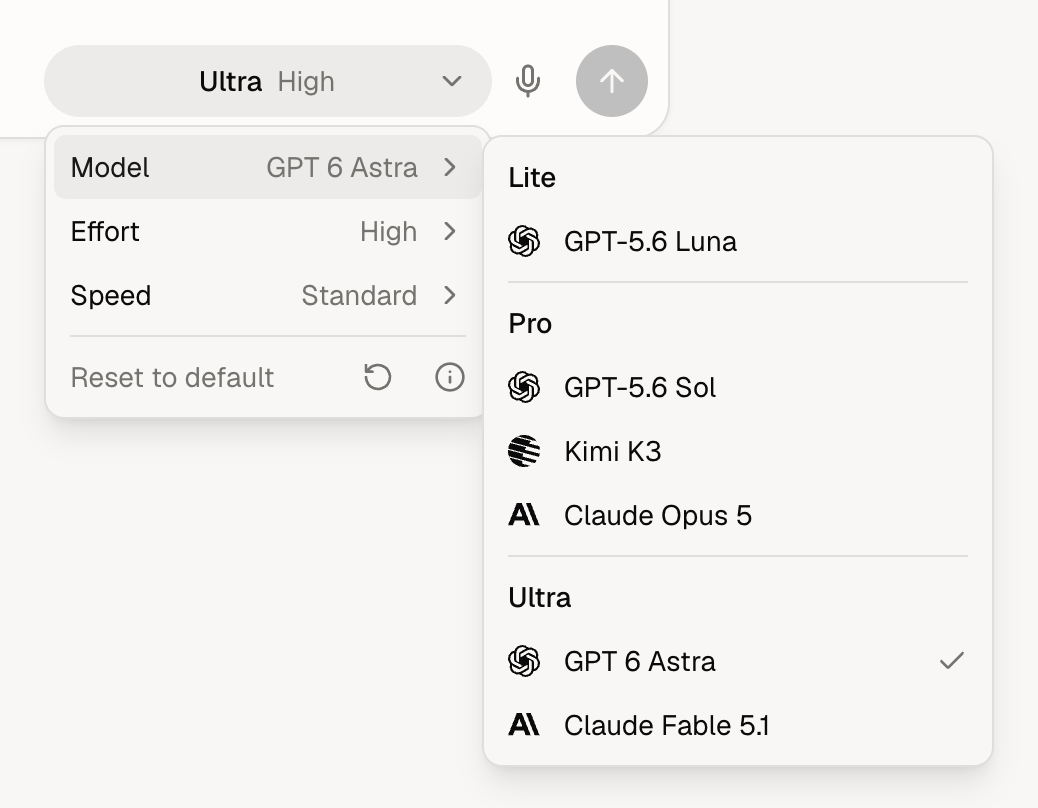
The picker button shows the family name by default. To show the selected model's name instead, turn on Settings → General → Show model names. Codex choices always show the model name.
If a model you selected is no longer available, Adam uses that family's current default model. If the family is no longer available to you, Adam uses the default for your plan.
How models use your allowance
What is Fast mode? Fast mode increases how quickly supported model choices generate their output, so you spend less time waiting for a response. It costs more to run, which means Fast requests consume more of your usage allowance than Standard requests. Use the Fast toggle above to see the difference.
What is Ultrafast? Ultrafast runs GPT-6 Astra with faster response generation. It is available on Max plans, including Max seats in team workspaces, and uses six times the allowance of standard Astra at the same token count. On Max, select Astra and turn on the lightning bolt in the model picker to use Ultrafast. Other plans keep the existing Fast mode.
What is large context? Large context applies when a request contains enough instructions, conversation history, or file content to cross the large-context threshold. Affected models use more of your allowance beyond that point, which is reflected automatically in the tier comparison above.
Token usage. Requests use allowance for their input and generated output. A task can make several model requests as it reads files, calls tools, and works through the result. The comparison describes one request, not the total cost of a task.
The comparison shows uncached context and generated output for one request. Cached context can use less of your allowance. These are relative usage amounts, not subscription prices or separate charges.
Requests using Adam's model families consume included usage or add-on funds, depending on the remaining allowance.
Max includes more monthly usage than Pro, and Team Max includes more usage per paid seat than Team Pro. On team plans, each assigned member uses the monthly allowance for their own Pro or Max seat. Add-on funds are shared across the workspace.
After your monthly allowance and the workspace's add-on funds are depleted, Adam's model families fall back to Lite through a small daily allowance. Connected Codex models follow the rules below. See Billing and usage for fallback behavior and refresh times.
Other metered work
Image, video, music, and speech services requested by a task can also consume Adam usage. Model calls made through tools in the task environment are also metered. These costs are separate from the model comparison above and still apply when the main conversation uses a connected Codex model. Lite's daily fallback does not provide a separate media-generation allowance.
Use your Codex plan
Under Settings → General, connect your Codex account. A separate Codex section then appears in the model picker, where you can choose from the models available through the connection. Model usage through that connection uses your Codex plan's allowance and does not reduce your Adam allowance. Separately metered services used by the same task can still consume Adam usage, as described above.
After you connect, Adam automatically selects the first available Codex model for new tasks. You can choose another Codex model or switch back to an Adam family from the same menu.